
Installing Python and its necessary libraries to create graphs
If from the Create Graphs form with Python selected you click the Generate Graphs button, and either Python or the Python libraries Matplotlib and Pandas are not installed or accessible for the computer user then the following message will be displayed.
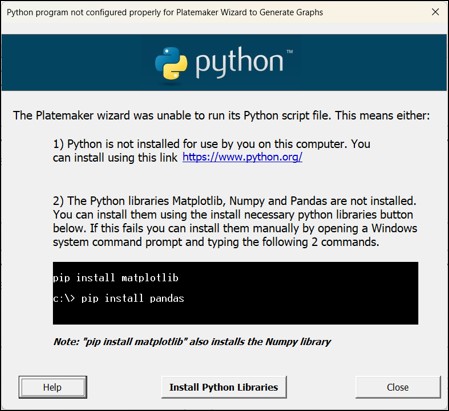
You can install a copy of Python on your computer using this link
https://www.python.org/downloads/
Once Python is installed, you can either use the Install Python Libraries button to install the required Python libraries (Figure 1) or the user can manually install the two necessary libraries listed in by going to the Windows Start Menu and typing the command “cmd”
This will open up a Windows command window. Next type the following two commands:
(c) Microsoft Corporation. All rights reserved.
C:\>pip install matplotlib
Followed by the <Enter> key, and
C:\>pip install pandas